
Download the Villager Craft App
Choose your device below to jump straight to your download file and step-by-step installation guide.
Android Download & Install Guide
Follow the visual guide below to download and install the Villager Craft APK safely.
Villager Craft for Android
Direct APK installer package hosted on VillagerCraft.com.
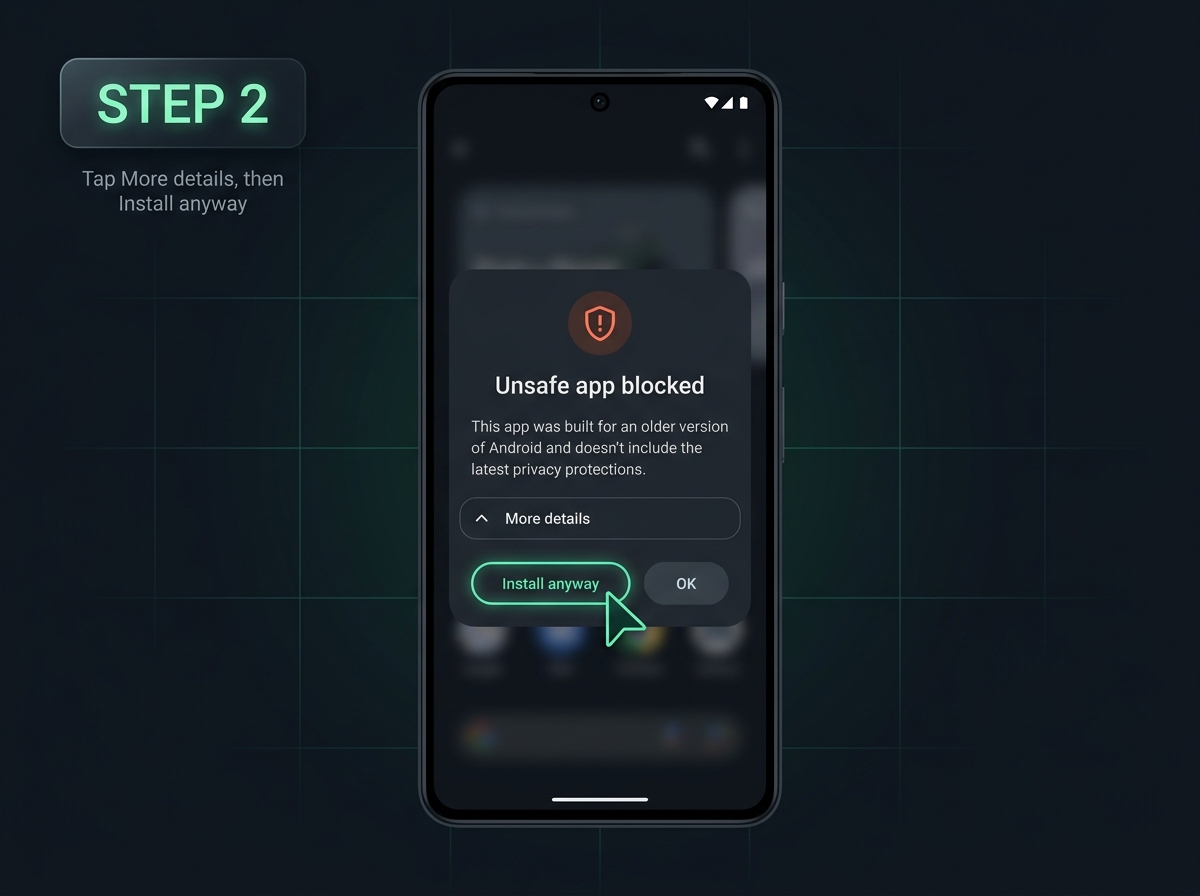
Because this app is downloaded directly from our website instead of the Google Play Store, your browser and Android's Play Protect system will automatically warn you that the app might not be safe. To continue, tap Download anyway in your browser, allow unknown apps if asked, and press More details → Install anyway on the Play Protect popup.

app42.apk, then open the file and enable Allow from this source if Android asks for permission.
Download the APK
Tap Download Android APK above and choose Download anyway when Chrome shows the standard file warning.
Allow Browser Installs
Open app42.apk from your notifications or Downloads folder. If prompted, toggle ON Allow from this source.
Press "Install anyway"
On the Play Protect warning, tap More details and then press Install anyway so Android completes setup.
Open Villager Craft
Once installed, open the Villager Craft app from your home screen or app drawer.
iOS Download & Install Guide
Instructions for downloading and installing the app.ipa package directly from our website onto iPhone or iPad.
Villager Craft for iOS
Direct iOS IPA package (app.ipa) for sideloading outside the App Store.
Apple does not install downloaded
.ipa files directly inside Safari the way Android installs .apk files. Download app.ipa using Safari first, install it with a trusted iOS sideloader (such as AltStore, SideStore, or Sideloadly), and then trust the developer certificate under Settings → General → VPN & Device Management before opening the app.
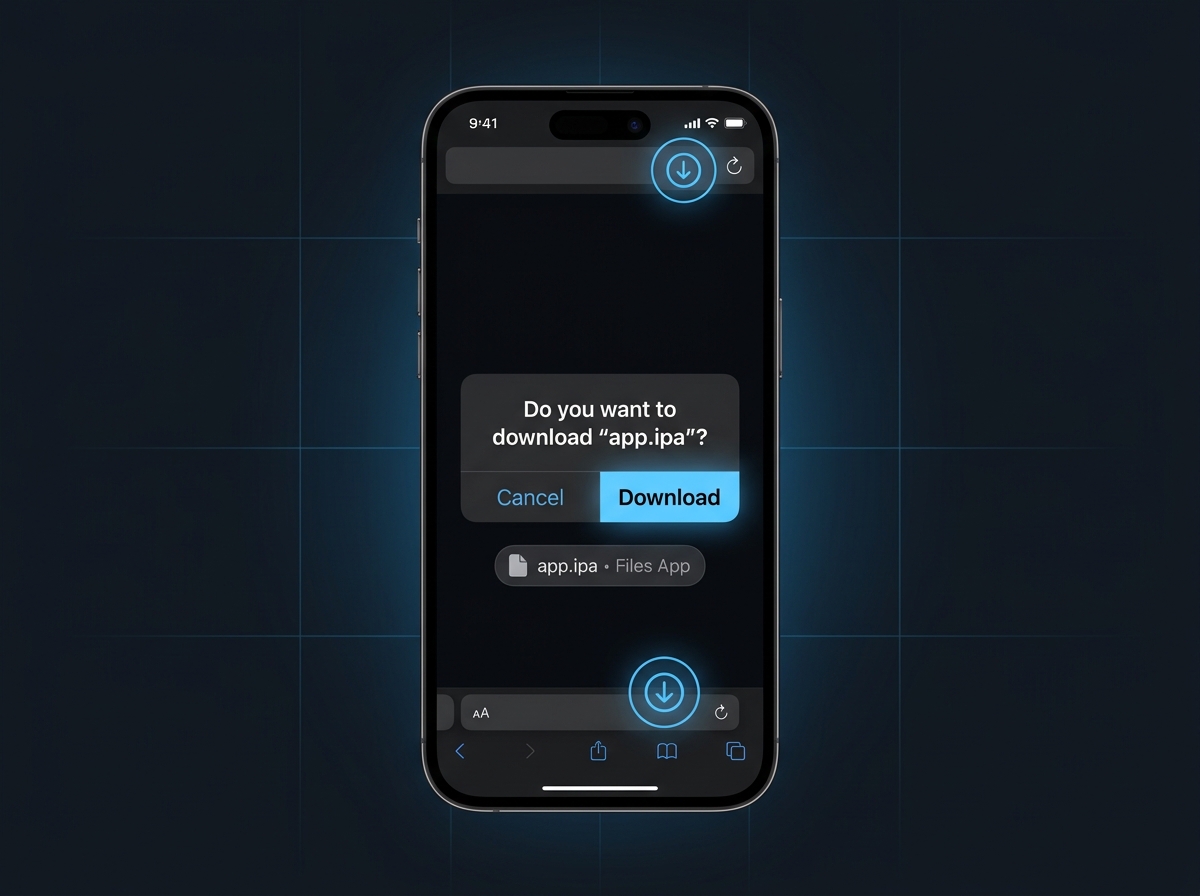
app.ipa in Safari: Tap Download iOS IPA above in Safari and press Download. The file saves into the iOS Files app under Downloads.
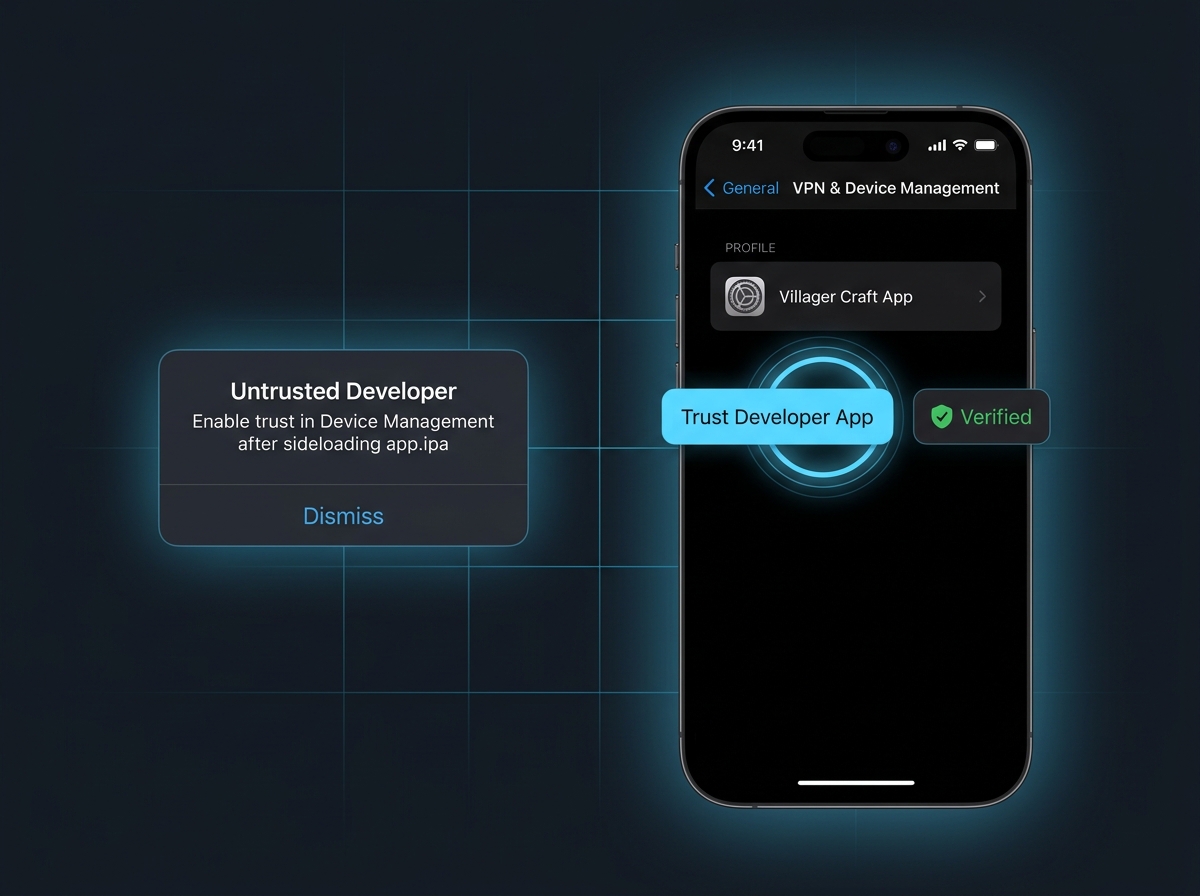
app.ipa, if iOS shows Untrusted Developer, go to Settings → General → VPN & Device Management and tap Trust.
Download app.ipa
Open this page in Safari, tap Download iOS IPA, and tap Download when prompted.
Open in Files
Find app.ipa in the Files app (On My iPhone → Downloads) or transfer it to your PC/Mac.
Sideload the IPA
Import and install app.ipa onto your iPhone/iPad using AltStore, SideStore, or Sideloadly with your Apple ID.
Trust & Launch
Open Settings → General → VPN & Device Management, tap your profile, and select Trust before opening Villager Craft.